







There’s a problem with your Mirth®, OIE or BridgeLink Integration and you didn’t know about it.
We’ve all been there. Something stopped working, and you found out about it hours, even days later. If you could just set up an alert to let you know when something has meaningfully changed.
Know of issues before your connections do, with Zen’s Insight.
Now you can! Easily. And you can have it installed and working today!
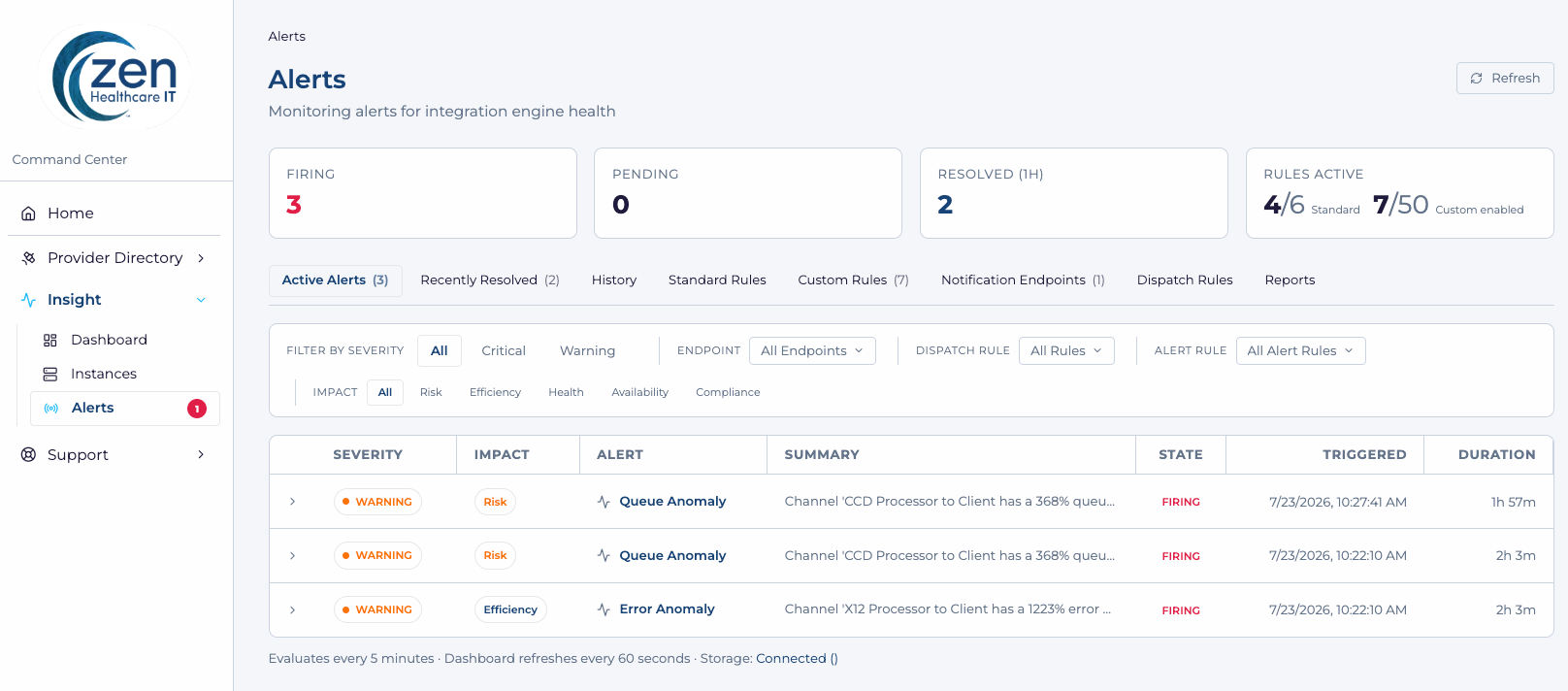
The Zen Insight modern UI provides a PHI free view into your instances, integrations & alerts. And no access to the Integration Engine is needed.
Zen Insight monitors your Mirth-based integration engine instances, channels, and source & destination connectors continuously — with alert coverage that's designed by you, tuned by you, and routed according to your rules and preferences. You can even customize the alert message.
Why Zen Insight?
There is simply no better way to monitor your healthcare integrations than Zen Insight. Here's why:
.svg)
Understand what is happening across your integrations
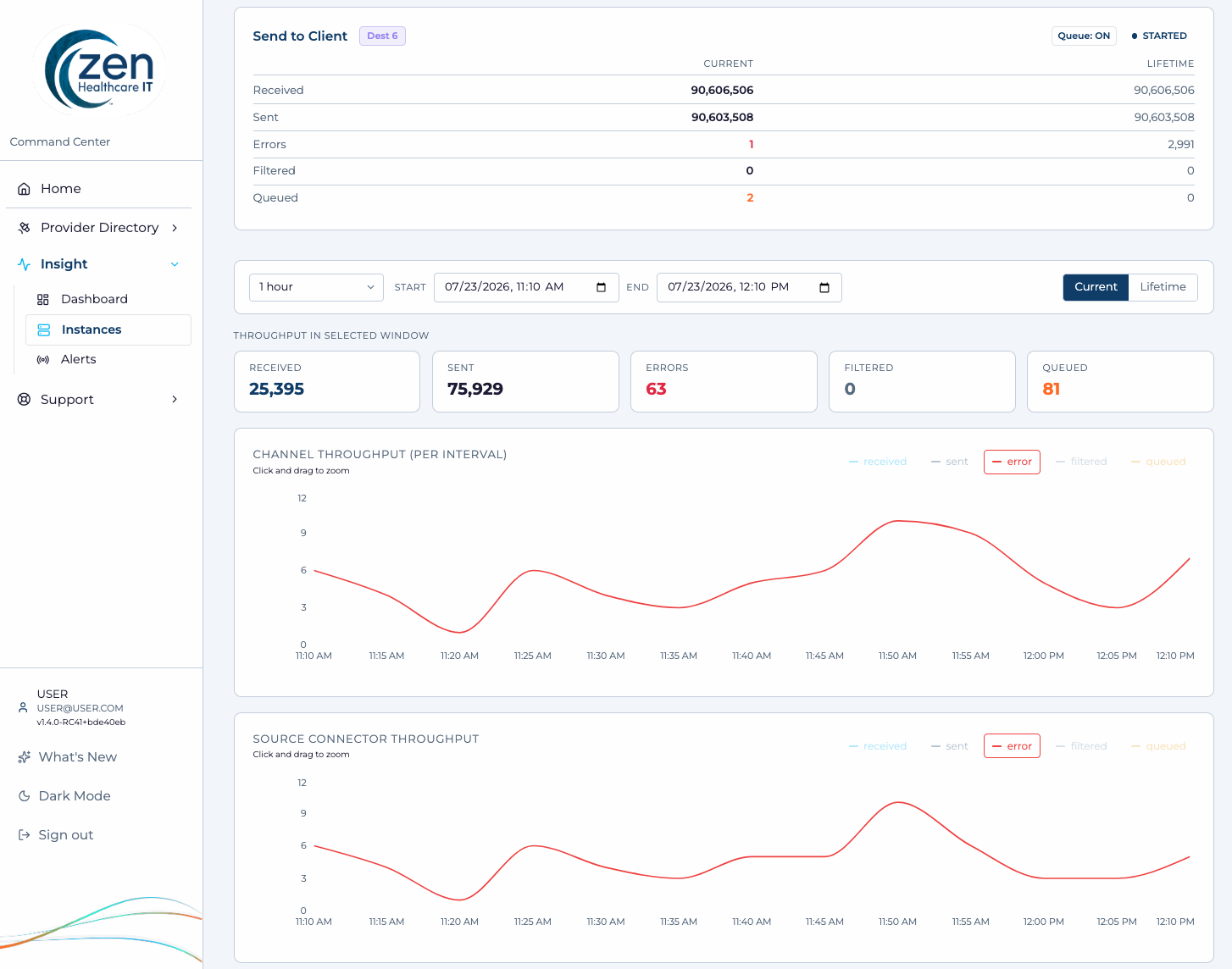
See your entire integration environment, including integration instances, channels, and connectors without checking each system individually.

Get notified when something needs attention
Get notified about server health issues, queue anomalies, unexpected channel stops, flatlines, spikes, and other unusual activity.
.svg)
Find Any Channel Quickly
Search for a channel by name across your entire monitored environment no matter which instance it lives on.
.svg)
Spot unusual trends
Compare channel activity and message patterns against historical norms to identify spikes, drops, flatlines, and unexpected changes.

Reduce repetitive monitoring
Spend less time manually checking dashboards and more time resolving the issues that require your expertise.
.svg)
Investigate with more context
Use alert history, comparison views, and monitoring data to understand what happened and respond faster.
.svg)
Non-Engineers can see and get alerts too
Non-engineer team members can now know if integrations are abnormal, or have changed recently, broadening your whole team’s visibility.

Need it today?
Within minutes, you can configure standard rules and alerts.Yes, you can have this today. (See “How It Works” below for details.)
Find the right level of visibility for your environment.
How it works
Sign up. Import the Channel. You Now have Insight!
- Step 1 — Connect Your Integration EnvironmentImport the provided Channel into your eligible Mirth-based integration instance(s) and insert your customer code (provided at trial or purchase)
- Step 2 — Start With Standard RulesStandard Rules begin providing baseline monitoring coverage right away — no need to configure by hand
- Step 3 — Fine-Tune By ExceptionOpt specific channels or instances out of a Standard Rule when the default coverage doesn't apply
- Step 4 — Build Custom Rules, If DesiredCreate more specific threshold, statistical, channel-state, connector-level, or scheduled alerts. (Available to Essential tier and above)
- Step 5 — Choose Where Notifications GoSend alerts to email, Slack, Microsoft Teams, or a webhook
Additional Resources and Expert Support
Need help evaluating your environment or custom purchase terms?
Zen Insight Dashboard Examples
Practical insights on healthcare interoperability, integration-engine management, data exchange, and operational best practices.
Drill Down to Detailed Channel Alerts
When troubleshooting an issue, quickly dive into the details you need to see.
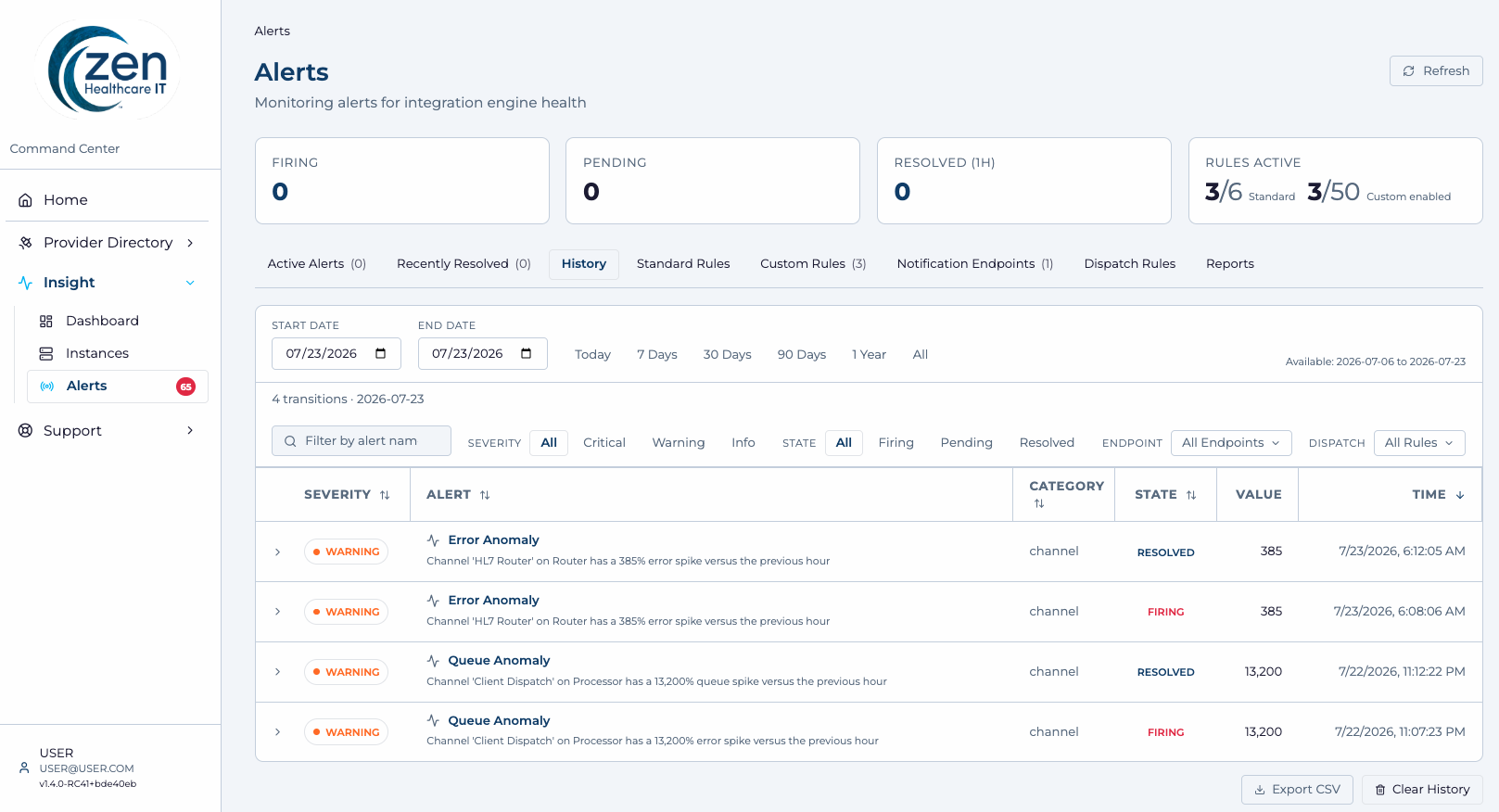
Alert History, Trends & Timeline View
Track historical alert activity and identify patterns over time. Gain insights into recurring issues, response performance, and overall system trends.
Zen Insight FAQs
Mirth-based Integration-engine instances, channels, connectors, message activity, and service health in any environment. This includes Mirth Connect, Open Integration Engine (OIE), BridgeLink, and other similar integration Engines. Load the provided channel to your IE instance(s),(no PHI/PII involved), enter your unique customer code, and your Insight environment is ready to go. Simple.
No. There is NO PHI provided to use Insight and NO PHI is transmitted to Insight. Thus, no PHI is ever exposed to users of Insight. As such, NO BAA is needed but we will gladly put one in place if you need it. Just let us know.
No. Standard Rules provide broad coverage automatically. You can opt out or customize from there.
Yes. Every Standard Rule and Custom Rule supports per-channel and per-instance exclusions. And you can apply rules to source and destination connectors in Professional or above.
Email, Slack, Microsoft Teams, and webhooks, depending upon the tier selected, are available to support any use case.
No. A Zen-hosted email option is available, so you do not have to supply SMTP credentials.
Yes. Alert history can currently be exported to CSV. Additional export options across more views are on the roadmap.
Pricing is based on a feature tier and the size of your monitored environment. If you have a configuration that does not ‘fit’ into the listed tiers and/or capacity, let us know. We can likely accommodate your needs.
Yes. Start a FREE Trial to evaluate Zen Insight against your own environment. Remember, there is NO PHI/PII involved, so no BAA is required.
Yes. It is designed around healthcare integration environments and the interoperability landscape, including frameworks such as TEFCA, Carequality, and CommonWell. It is not adapted from a general-purpose IT monitoring tool.
Because Standard Rules are enabled automatically, most teams can begin receiving meaningful monitoring coverage from day one.
Yes. Custom Rules support scoping to source or destination connectors. Connector level custom rules are available at the Professional tier or above. The Free Trial includes Connector level Custom Rule support.
Anyone who needs to understand the status of any data exchange integration. You don’t need to be an Integration Engineer, or even have access to the integration engine. (No PHI/PII is involved).
In particular, Integration and interoperability teams at hospitals, health systems, HIEs, health technology companies, and managed or professional-service organizations are ideal users.